


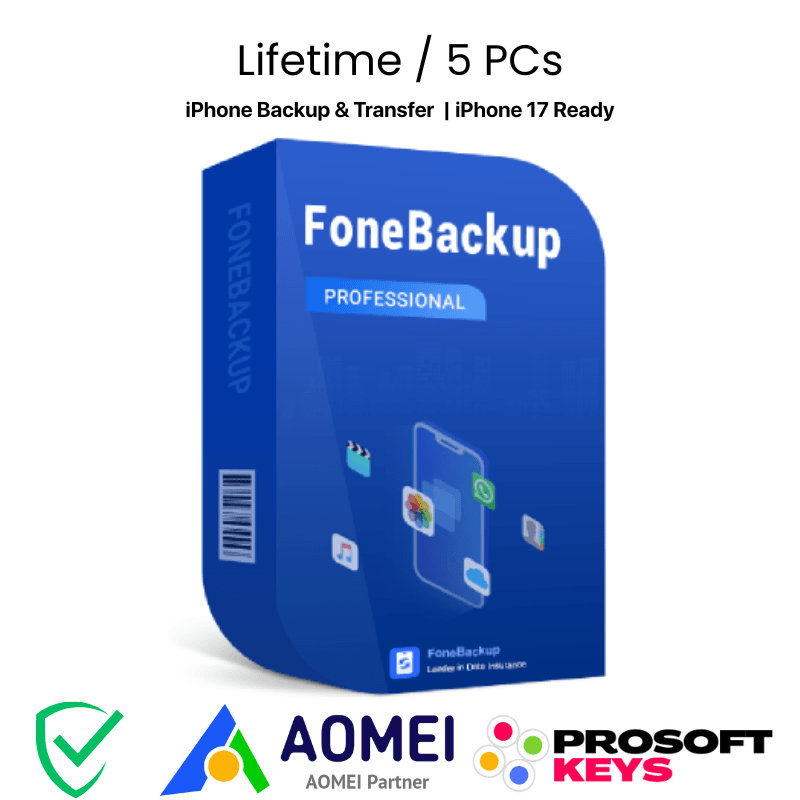



AOMEI FoneBackup Pro Key iPHONE
Lifetime License • 5 PCs • Unlimited Devices • No iTunes Needed
🤝 Official AOMEI Partner & Authorized Reseller
ProSoftKeys isan official AOMEI Partner. All license keys are genuine and sourced directly from AOMEI Technology, ensuring you receive authentic software with full support and lifetime upgrades.
Your iPhone Data, Your Control
AOMEI FoneBackup Pro is a comprehensive iPhone backup, transfer, and management software that puts you in complete control of your data. Backup photos, videos, contacts, messages, music, and WhatsApp conversations to your PC : no iTunes required, no iCloud storage limits.
This license includes: One-time payment with lifetime free upgrades • Installation on 5 PCs • Unlimited iPhone/iPad devices • 24/7 technical support • All Pro features unlocked
Key Features
📱 Full iPhone Backup
One-click backup of all iPhone data to PC — photos, videos, contacts, messages, music, and more. Selective backup also available.
🔄 iPhone to iPhone Transfer
Seamlessly migrate all data from old iPhone to new iPhone. Perfect for upgrading to iPhone 17 without losing anything.
💬 WhatsApp Backup & Transfer
Backup WhatsApp chats, photos, videos, stickers to PC. Transfer WhatsApp data directly between iPhones.
🖼️ Photo Management
Transfer photos between iPhone and PC. HEIC to JPG converter included. Find and delete duplicate photos to free up space.
☁️ iCloud Manager
Upload, download, and delete iCloud data. Sync data between multiple iCloud accounts easily.
⚡ Lightning Fast
Transfer 1000+ photos in minutes. No network required — direct USB connection for maximum speed.
🔐 Secure Data Eraser
Permanently wipe all data from iPhone before selling or trading in. Prevent any data recovery.
♻️ Universal Restore
Restore backup to any iPhone, even different models. Flexible recovery options for any scenario.
🆚 Free vs Pro — Why Upgrade?
| Feature | Free | Pro ✓ |
|---|---|---|
| iPhone Backup & Restore | ✓ | ✓ |
| WhatsApp Backup to PC | ✓ | ✓ |
| HEIC to JPG Converter | ✓ | ✓ |
| Erase iPhone Data | ✓ | ✓ |
| Transfer Files (iPhone ↔ PC) | 30 files/day | Unlimited |
| Photo Deduplication | 30 photos/day | Unlimited |
| iPhone to iPhone Transfer (All Data) | ✗ | ✓ |
| WhatsApp Transfer to New iPhone | ✗ | ✓ |
| Universal Restore | ✗ | ✓ |
| Business Use | ✗ | ✓ |
| Technical Support | Business Hours | 24/7/365 |
| License | Freeware | 5 PCs / Unlimited Devices |
Product Specifications
| License Details | |
|---|---|
| Product | AOMEI FoneBackup Pro |
| License Type | Lifetime (One-time payment, lifetime use & upgrades) |
| PC Activation | 5 PCs per license |
| Device Limit | Unlimited iPhone/iPad/iPod devices |
| Delivery Time | 10 minutes to a few hours (manual processing) |
| System Requirements | |
| Windows PC | Windows 11, 10, 8.1, 8, 7 (32/64-bit) |
| iOS Devices | iPhone 17/15/14/13/12/11/XS/XR/X/8/7 and earlier |
| iOS Version | iOS 18, 17, 16, 15, 14, 13 and earlier |
| Other Devices | iPad (all models), iPod touch |
| Connection | USB cable (Lightning or USB-C) |
What's Included
| ✓ Genuine AOMEI FoneBackup Pro license key |
| ✓ Activation on 5 Windows PCs |
| ✓ Unlimited iPhone/iPad/iPod devices |
| ✓ One-time payment — lifetime use |
| ✓ Lifetime free upgrades to all future versions |
| ✓ Download link to latest version |
| ✓ 24/7/365 technical support |
🕐 Delivery Information
This product is NOT instant delivery. AOMEI FoneBackup Pro keys are manually processed to ensure authenticity and proper licensing. Typical delivery time is 10 minutes to a few hours during business hours. You will receive your license key via email once your order is verified and processed. Thank you for your patience.
💡 Perfect For
- New iPhone Owners — Transfer everything from your old iPhone to iPhone 17/15 without losing a single file
- Photo Enthusiasts — Backup thousands of photos and videos to PC, free up iPhone storage instantly
- WhatsApp Users — Keep your precious chat history safe, transfer WhatsApp to new phone seamlessly
- Privacy-Conscious Users — Local backups only, no cloud required, your data stays on your devices
- Families — Manage multiple iPhones/iPads from one PC, 5 PC license covers the whole household
- iTunes Haters — Finally, a fast and simple alternative that just works
How to Activate
📥 Activation Steps
- Wait for your license key to be delivered via email (10 min - few hours)
- Download AOMEI FoneBackup from the official AOMEI website
- Install the software on your Windows PC
- Open FoneBackup and click on the menu icon → "Register"
- Enter your license key received from ProSoftKeys
- Click "Register" — FoneBackup Pro is now activated!
- Connect your iPhone via USB cable and start backing up
📦 More AOMEI Products Available
As an official AOMEI Partner, ProSoftKeys can provide genuine licenses for the complete AOMEI product lineup:
Looking for a specific AOMEI product not listed on our website? Contact us for availability and best pricing:
📧 Contact sales@prosoftkeys.comFrequently Asked Questions
What is AOMEI FoneBackup Pro?
AOMEI FoneBackup Pro is a comprehensive iPhone backup, transfer, and management software for Windows. It allows you to backup photos, videos, contacts, messages, music, and WhatsApp data from iPhone to PC, transfer all data between iPhones, and manage iCloud storage : all without iTunes.
What iPhone and iOS versions are supported?
AOMEI FoneBackup Pro supports all iPhone models including iPhone 17, 15, 14, 13, 12, 11, XS, XR, X, 8, 7, and earlier. It's fully compatible with iOS 18 and all previous iOS versions. iPad and iPod touch devices are also supported.
How many PCs and devices can I use?
One AOMEI FoneBackup Pro lifetime license can be activated on up to 5 Windows PCs. On each PC, you can connect and manage unlimited iPhone, iPad, and iPod touch devices. Perfect for families or small offices.
What's the difference between Free and Pro?
Free version: Limited to 30 file transfers per day and 30 duplicate photo cleanups per day. No iPhone-to-iPhone full transfer.
Pro version: Unlimited transfers, unlimited photo deduplication, full iPhone-to-iPhone migration, WhatsApp transfer to new iPhone, Universal Restore, and 24/7 technical support.
Can I backup WhatsApp without iCloud?
Yes! FoneBackup Pro can backup all your WhatsApp and WhatsApp Business data — chats, photos, videos, stickers, documents — directly to your PC without using iCloud. You can also transfer WhatsApp data from one iPhone to another.
Do I need iTunes installed?
No, AOMEI FoneBackup works completely independently without iTunes. It provides a faster, more flexible, and much simpler alternative to iTunes for iPhone backup and data transfer.
Is ProSoftKeys an authorized AOMEI reseller?
Yes, ProSoftKeys is an official AOMEI Partner and authorized reseller. All keys are genuine and sourced directly from AOMEI Technology, ensuring full support and validity.
📋 Product Information
ProSoftKeys is an official AOMEI Partner and authorized reseller. All license keys are genuine and sourced directly from AOMEI Technology. This product includes lifetime free upgrades, meaning you will receive all future version updates at no additional cost.
Delivery: This is NOT an instant delivery product. License keys are manually processed and typically delivered within 10 minutes to a few hours during business hours.
For technical support, AOMEI provides official support at aomeitech.com/support. For order inquiries, contact ProSoftKeys at support@prosoftkeys.com.









Reviews
There are no reviews yet.