
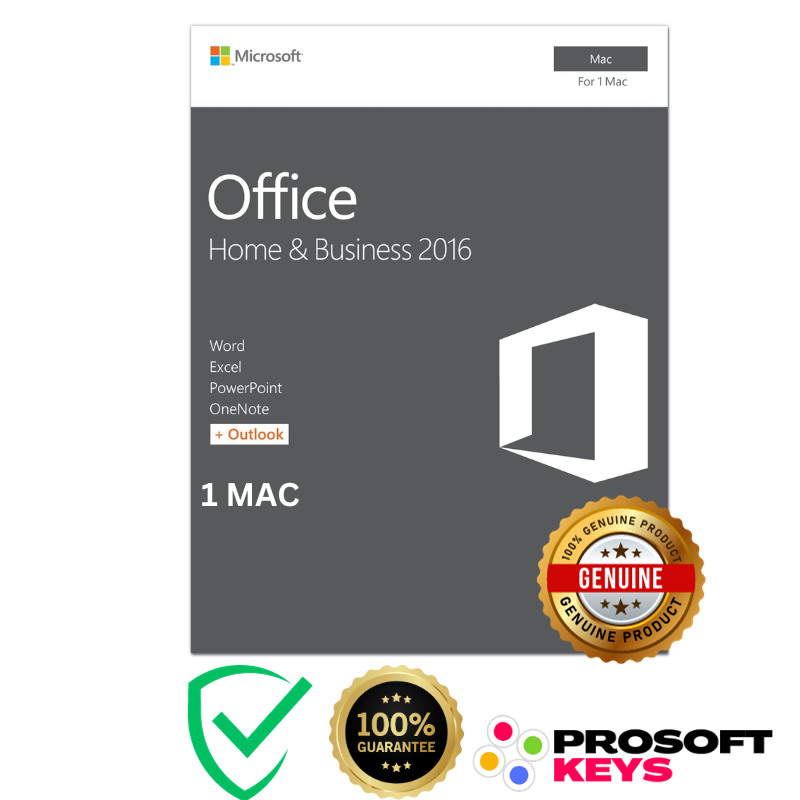

Office 2016 Home & Business for Mac OS Bind Key : Complete Guide
If you’re looking to buy Microsoft Office 2016 Home & Business for Mac OS Bind Key, this guide explains everything you need to know : key features, benefits, activation steps, system requirements, and why this edition remains a top choice for Mac users.
With a bind key, your Office 2016 license is directly linked to your Microsoft account, giving you lifetime access and secure activation without the risk of losing the product key.
⭐ Key Features of Microsoft Office 2016 Home & Business for Mac OS
When you purchase an Office 2016 Home & Business Bind Key for Mac, you receive:
One-time purchase for 1 Mac – no subscriptions, no recurring fees
Lifetime license tied to your Microsoft account
Classic 2016 versions of essential Office apps:
Word 2016 – Professional document creation
Excel 2016 – Advanced spreadsheets with business-grade tools
PowerPoint 2016 – Clean and modern presentations
Outlook 2016 – Email, contacts, tasks, and calendar management
Official Microsoft Quick Start Guide (PDF) to help you set up
Secure Bind Activation – Key permanently attached to your Microsoft account
This makes it ideal for professionals, students, small businesses, and anyone who prefers the stability of a classic, non-subscription Office suite.
🔐 This Key Will Be Linked to Your Microsoft Account
Because this is a Bind Key, your license is securely registered to your Microsoft account.
This ensures:
You never lose your key
You can redownload Office anytime
Activation remains safe and permanent
Perfect for long-term use and system reinstalls
🔧 Activation Guide for Microsoft Office 2016 Home & Business for Mac (Bind Version)
Follow these steps to activate your bind key:
1. Visit the Activation Page
Go to setup.office.com, Microsoft’s official activation portal.
2. Sign In with Your Microsoft Account
Sign in or create an account. This account becomes the permanent owner of your Office 2016 license.
3. Enter Your Product Key
Type the Office 2016 Home & Business for Mac OS Bind Key provided at purchase.
4. Download & Install on Your Mac
Follow the on-screen instructions to download the Office installer for Mac.
5. Verify Activation
Open any Office app → go to Account → confirm your subscription shows as Office 2016 Home & Business and is activated.
🎯 Why Choose Microsoft Office 2016 Home & Business for Mac OS?
✔ 1. Lifetime License (No Subscription)
Unlike Microsoft 365 subscriptions, this version is a one-time purchase.
Perfect for users who want full ownership without recurring payments.
✔ 2. Designed for Productivity
Office 2016 includes all the tools needed for everyday personal and business tasks:
Word for reports and documents
Excel for budgeting, analytics, and business sheets
PowerPoint for client presentations and academic work
Outlook for managing email professionally
✔ 3. Performance Optimized for Mac
Office 2016 for Mac was built with native Mac UI elements, ensuring:
Fast performance
Better stability
Full compatibility with macOS productivity workflows
✔ 4. Seamless Offline Usage
All applications work perfectly offline, making this an excellent choice for long-term local productivity.
🖥 Installation & System Requirements
Before you buy Microsoft Office 2016 Home & Business for Mac OS Bind Key, ensure your Mac meets the following requirements:
Operating System: macOS 10.12 Sierra or later
Processor: Intel-based Mac
RAM: Minimum 4 GB (8 GB recommended)
Storage: 6 GB available disk space
Internet: Required for activation and initial download
Compatible with MacBook, MacBook Air, MacBook Pro, iMac, and Mac Mini running supported macOS versions.
🛒 Why Buy Microsoft Office 2016 Home & Business for Mac OS Bind Key?
Purchasing this edition gives you:
Lifetime ownership
A professional-grade productivity suite
Stable and reliable Office apps
Permanent binding to your Microsoft account
No renewal fees or hidden costs
This makes it the ideal solution for business owners, freelancers, students, and anyone wanting a lasting Office setup on Mac.
FAQ – Microsoft Office 2016 Home & Business for Mac OS (Bind Key)
Q: Is Microsoft Office 2016 Home & Business for Mac still supported?
Answer: No. Microsoft Office 2016 for Mac reached end-of-support on October 13, 2020. This means Microsoft no longer provides security updates, bug fixes, or technical support. The software still works normally, but it is not recommended for sensitive or security-critical environments.
Q1: Why is Office 2016 Home & Business the best option for older Mac computers?
Answer: Because newer Office versions no longer support older macOS releases.
Office 2019, Office 2021, and Office 2024 for Mac all require recent macOS versions (typically the last 3 releases).
If your Mac can’t upgrade to these systems, Office 2016 is the only fully compatible version still activatable, making it ideal for older Intel Macs.
Q2: What macOS versions support Office 2016 for Mac?
Answer: Office 2016 for Mac officially supports macOS versions such as:
• OS X 10.12 Sierra
• macOS High Sierra
• macOS Mojave
• macOS Catalina
This makes it perfect for users with older Macs that cannot install macOS Big Sur, Monterey, Ventura, Sonoma, or Sequoia.
Q3: Can Office 2019, 2021, or 2024 run on older macOS versions?
Answer: No. Newer Office editions support only the latest macOS releases, and Microsoft drops support for older macOS versions quickly.
If your Mac cannot update to a recent system, Office 2016 becomes the only viable Microsoft Office solution.
Q4: Is Office 2016 for Mac safe to use even without new updates?
Answer: Yes. While Office 2016 no longer receives security patches, it remains fully functional and stable for offline work, document editing, personal use, and older hardware.
It continues to activate normally and is widely used on older Mac devices.
Q5: Is Office 2016 still activatable in 2025?
Answer: Yes. Office 2016 activation servers are still active, and you can activate your key through setup.office.com using your Microsoft account.
Q6: Is the Office 2016 Bind Key permanent?
Answer: Yes. Once activated, the license is permanently linked to your Microsoft account and can be reinstalled on the same device any time.
Q7: Can I transfer my Office 2016 Bind Key to another Mac?
Answer: Yes. Bind Keys are tied to your Microsoft account, not to hardware. You can reinstall it on another Mac if needed, following Microsoft’s normal transfer policies.
Q8: Does Office 2016 work well on older Intel Macs?
Answer: Absolutely. Office 2016 is lightweight, optimized for Intel-based architecture only.
Q9: What apps are included in Office 2016 Home & Business for Mac?
Answer:
• Word 2016
• Excel 2016
• PowerPoint 2016
• Outlook 2016
All apps work offline and don’t require a Microsoft 365 subscription.
Q10: Where can I buy a genuine Office 2016 Home & Business for Mac OS Bind Key?
Answer:
You can Buy Microsoft Office 2016 Home & Business for Mac OS Bind Key at ProSoftKeys with instant email delivery and a secure activation guide.


Paul (verified owner) –
thanks very good price