
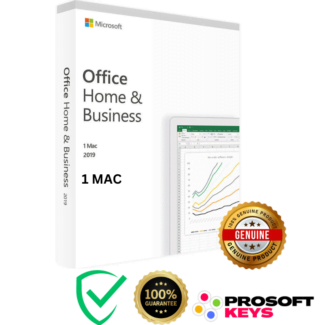
Buy Microsoft Office 2021 Home & Business for MAC OS Bind Key
What Is Office 2021 Home & Business for Mac?
Microsoft Office 2021 Home & Business for Mac OS is one of the latest perpetual (non-subscription) Office suite designed for modern macOS devices. With a one-time purchase and no recurring fees, this version provides essential productivity apps optimized for Apple Silicon and Intel Macs.
This edition includes:
Word 2021
Excel 2021
PowerPoint 2021
Outlook 2021
Your Bind Key is permanently attached to your Microsoft account, ensuring lifetime license security and easy reinstallation.
Why People Buy Office 2021 Home & Business for Mac Today
Many Mac users upgrading to Sonoma, Sequoia, or Tahoe discover that older Office versions (2016, 2019) are no longer supported. Microsoft now limits compatibility to the latest three macOS releases only.
This means:
✔ Office 2021 is the one of the ONLY supported perpetual version for modern Macs
✔ Perfect for users upgrading to macOS Sequoia or Tahoe
✔ Necessary for stability, security, and app compatibility
✔ A must-have for students, professionals, and businesses avoiding subscriptions
If you use an Intel or Apple Silicon Mac and want a one-time purchase instead of Microsoft 365, Office 2021 is your best long-term option.
Key Features of Microsoft Office 2021 Home & Business for Mac OS
✅ One-Time Purchase : No Subscription
Pay once and own the license forever.
✅ Bind Key : Permanent Bind Security
The key is attached to your Microsoft account, not your device.
This ensures:
You never lose your license
Easy reinstallation via setup.office.com
Lifetime retention inside your Microsoft account
✅ Modern App Experience
Office 2021 includes:
Improved collaboration tools
Faster performance on Macs
Full Apple Silicon support (M1/M2/M3/M4 processors)
Modern UI aligned with macOS aesthetics
✅ Designed for the Latest macOS Versions
Office 2021 supports the three latest macOS releases only:
macOS Tahoe (16)
macOS Sequoia (15)
macOS Sonoma (14)
This makes it the ideal version for Macs running the newest Apple updates.
Who Should Buy Office 2021 Home & Business for Mac Bind Key?
Office 2021 Home & Business for Mac with bind key activation serves Mac users seeking permanent software ownership without ongoing subscription commitments, particularly those navigating Apple’s aggressive macOS update cycles that routinely obsolete older Office versions.
Mac-native professionals and creative workers running modern Apple Silicon Macs (M1, M2, M3, M4 processors) or recent Intel-based MacBook Pro and iMac systems require Office 2021 for guaranteed compatibility with macOS Sequoia (15) and Tahoe (16), where older Office 2019 and 2016 versions fail to launch or exhibit critical stability issues after Apple’s annual operating system updates.
Freelance designers, marketing consultants, and creative agency professionals collaborating with Windows-based clients need Office 2021’s Word, Excel, and PowerPoint for seamless document exchange, ensuring formatting consistency, font compatibility, and macro functionality that Apple’s iWork suite (Pages, Numbers, Keynote) cannot reliably maintain when sharing files with Microsoft Office users dominating corporate environments.
Small business owners, entrepreneurs, and startups operating Mac-exclusive offices avoid monthly Microsoft 365 subscription expenses multiplied across 3-15 employees, with Office 2021 bind keys simplifying license management through centralized Microsoft account binding rather than tracking individual product keys or managing complex volume licensing agreements.
Home office professionals, remote workers, and digital nomads with MacBook Air or MacBook Pro laptops appreciate Office 2021’s offline functionality after initial activation, enabling document editing, spreadsheet analysis, and presentation creation during flights, remote locations with unreliable internet, or while working from cafes, co-working spaces, and client sites where public Wi-Fi security concerns make cloud-dependent applications risky.
Photographers, videographers, and content creators already invested in Apple’s ecosystem (Final Cut Pro, Logic Pro, macOS-exclusive creative tools) require Office compatibility for client invoicing, project proposals, content calendars, and business administration tasks where Microsoft Office remains the universal standard for professional business communication.
How to Activate Office 2021 Home & Business for Mac (Bind Key Method)
1. Visit the Official Activation Portal
Go to: setup.office.com
2. Sign In
Use your Microsoft account (or create one).
3. Enter Your Product Key
Input your 25-character Bind Key.
4. Download Office 2021
Select language and region, then download the macOS installer.
5. Install & Verify
Open any Office app → Sign in → Check activation under Account.
System Requirements (2025 Updated)
To run Office 2021 Home & Business for Mac, you need:
Operating System:
macOS Tahoe (16), Sequoia (15), or Sonoma (14)
(Only the latest 3 macOS versions are supported officially.)Processor: Intel or Apple Silicon (M1/M2/M3/M4)
RAM: 4 GB minimum (8 GB recommended)
Storage: 10 GB free disk space
Internet: Required for activation & updates
Why Choose Office 2021 Over Older Versions?
Office 2019 and 2016 are no longer supported on modern macOS.
If you’re upgrading to Sequoia or Tahoe:
❌ Office 2016 – Unsupported
❌ Office 2019 – Limited ( Support for Office 2019 for Mac ended on October 10, 2023 )
❌ Office 365 – Subscription required
✔ Office 2021 – Only supported perpetual version
✔ Compatible with macOS 14, 15, 16
✔ Optimized for Apple Silicon chips
This makes Office 2021 the only viable one-time-purchase option for Mac users on current systems.
FAQ : Microsoft Office 2021 Home & Business for Mac OS (Bind Key)
Q1: Should I buy Office 2021 for my Mac instead of using Office 365?
Yes, if you prefer a one-time purchase with no subscription. Office 2021 gives lifetime access to Word, Excel, PowerPoint, and Outlook.
Q2: Does Office 2021 work on macOS Tahoe or Sequoia?
Yes. Office 2021 is fully compatible with:
macOS Tahoe (16)
macOS Sequoia (15)
macOS Sonoma (14)
Q3: Will Office 2021 run on my older Mac?
If your Mac can run macOS Sonoma or later, Office 2021 works perfectly.
For Macs stuck on older OS versions (Catalina, Mojave), consider Office 2016 instead.
Q4: What is a Bind Key?
A Bind Key is a Microsoft product key permanently linked to your Microsoft account.
You never lose the license, even if you change computers.
Q5: Is Office 2021 a lifetime license?
Yes. Office 2021 Home & Business is a perpetual lifetime license with no subscription.
Q6: Does Office 2021 work with Apple Silicon M3/M4 Macs?
Yes. Office 2021 runs natively on Apple Silicon (ARM64) and is fully optimized for M1 and M2 chips. It also works smoothly on newer Apple Silicon processors such as M3 and M4 without requiring Rosetta 2.
Q7: Can I use Office 2021 if I have an older Mac on macOS Monterey or Big Sur?
No. Office 2021 officially supports only the latest 3 macOS versions (currently Sonoma 14, Sequoia 15, Tahoe 16). For older macOS, consider Office 2019 or 2016.
Note : Office 2021 may still install and run on Monterey/Big Sur. But it is unsupported (meaning no updates, no guarantee).
Q8: Is Office 2021 compatible with iCloud Drive and Apple ecosystem?
Yes. Office 2021 integrates with macOS features including iCloud Drive, Spotlight search, Touch Bar (Old MacBook Pro), and Dark Mode. Documents save to iCloud Drive for cross-device access.
Q10: How long will Office 2021 be supported on macOS?
Office 2021 receives mainstream Microsoft support and security updates until October 2026. After that date, it will continue to function normally on supported macOS versions, but no new security updates or feature patches will be released.




Owen (verified owner) –
Excellent service! i quickly received my product key via email the activation process was simple, thank you
Fame (verified owner) –
It works perfectly