

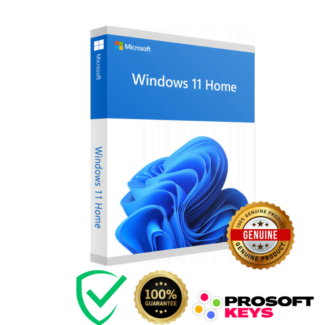
Buy Windows 11 Home OEM Key - Best Price & Instant Delivery
Elevate Your Home Computing with Windows 11 Home OEM
Windows 11 Home OEM Key is the perfect solution for users seeking a powerful, user-friendly, and secure operating system for their personal computers. With a fresh design and innovative features, Windows 11 Home brings a new level of convenience and efficiency to your home computing experience.
Key Features of Windows 11 Home
- Redesigned Interface: Enjoy a clean and modern interface with a new Start menu.
- Improved Multitasking: Utilize Snap Layouts and Virtual Desktops for efficient multitasking.
- DirectX 12 Ultimate: Perfect for gamers with the latest in graphics technology.
- Microsoft Teams Integration: Stay connected with friends and family right from your desktop.
- Enhanced Security: Advanced security features to protect against modern cyber threats.
Why Choose Windows 11 Home ?
- Enhanced Security: Windows 11 Home includes advanced security features such as Windows Defender and secure boot to keep your data safe and secure.
- User-Friendly Design: Enjoy a refreshed, intuitive interface that makes it easier to find what you need and get things done.
- Seamless Integration: Windows 11 Home integrates smoothly with your favorite apps and services, providing a cohesive and efficient user experience.
- Instant Software Code Delivery
Unlock your software in seconds with instant product key delivery, eliminating waiting times. Enjoy our comprehensive, step-by-step guide for effortless digital license activation. Combined with immediate download and installation, our redemption process is one of the fastest and most reliable in the market for digital software codes. Whether you’re activating Windows, Office suites, or other digital tools, we ensure a seamless experience that minimizes downtime and enhances productivity.
Installation and System Requirements
Installing Windows 11 Home OEM is straightforward. Follow the provided steps after your purchase to activate your new operating system. Ensure your PC meets the following system requirements:
- Processor: 1 gigahertz (GHz) or faster with 2 or more cores
- RAM: 4 GB or more
- Storage: 64 GB or larger storage device
- Graphics Card: Compatible with DirectX 12 or later with WDDM 2.0 driver
- Display: 720p display, 9″ or greater monitor, 8 bits per color channel
Frequently Asked Questions
Q: Where can I buy a Windows 11 HOME Key?
A: You can buy a genuine Windows 11 HOME Key at ProSoftKeys.com with instant digital delivery and lifetime activation. Our keys are 100% legitimate, affordable, and backed by secure transactions.
Q: What is an OEM key?
A: An OEM key is a type of product key that is typically pre-installed on devices by manufacturers. It stands for Original Equipment Manufacturer.
Q: Can I use the Windows 11 Home OEM key on multiple devices?
A: No, an OEM key is tied to the first device it is activated on and cannot be transferred to another device.
Q: How do I activate my Windows 11 Home OEM key?
Frequently Asked Questions: The Windows 11 K2 Initiative
What is the Microsoft Windows 11 K2 project?
The “Windows K2” initiative is a major, ongoing Microsoft engineering program designed to fix fundamental issues within Windows 11. It is not a new operating system (like Windows 12), but rather a structural quality shift focused on three core pillars: Performance, Craft, and Reliability. The goal is to optimize system resources, improve the speed of the Start Menu and File Explorer, and reduce the frequency of mandatory update restarts.
Will my Windows 11 Home key include the K2 updates?
Yes. Because K2 is a foundational quality program and not a separate paid upgrade, all existing and new Windows 11 Pro and Home deployments will receive these engine enhancements automatically. Microsoft is rolling out these K2 improvements incrementally through standard cumulative updates (via Windows Update) throughout 2026 and 2027.
Does the Windows K2 update improve gaming performance?
Yes. A major focus of the Microsoft K2 project is matching the gaming performance of Valve’s SteamOS. The K2 updates introduce a new system compositor for WinUI 3 and a dedicated “Xbox Mode” to dramatically reduce CPU overhead, minimize UI stuttering, and allocate maximum system memory to active gaming workloads.
Will the K2 initiative remove bloatware from Windows 11?
As part of the “Craft” and “Reliability” pillars, the K2 project targets system bloat and UI inconsistencies. Microsoft is actively working to streamline the interface, reduce idle memory usage, scale back MSN-driven widget content, and potentially remove advertising elements from the Start menu to create a cleaner, more professional desktop environment.





Samuel (verified owner) –
thanks very good price